Picking a Stack When You Don't Know What a Stack Is
Part 2 of "Zero to the App Store in 7 Days"
On March 24, 2026, I had never opened a terminal. By March 31, I had a full iOS app submitted to Apple. In between, I had to make dozens of technical decisions about things I had never heard of.
This is the story of those decisions. Not just what I picked, but what I deliberately avoided, and why those choices mattered more.
What "stack" actually means
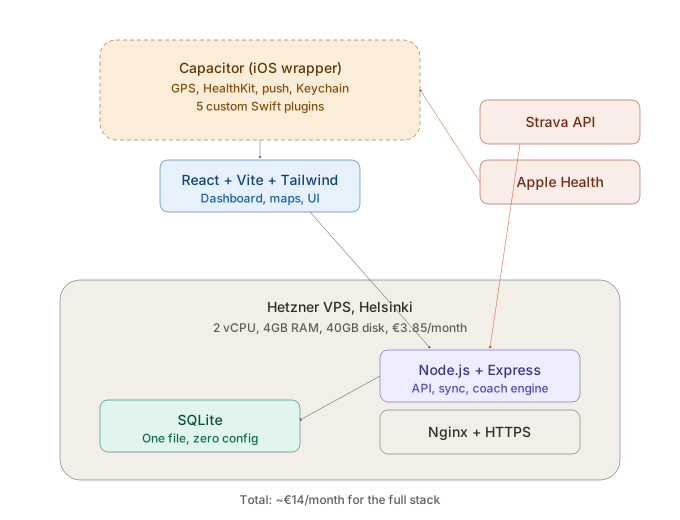
A tech stack is just the list of tools your app is built with. Every layer does a different job:
- Frontend (React): what users see and tap on. Buttons, screens, charts, maps.
- Backend (Node.js + Express): the brain. Handles logins, syncs data from Strava, runs the training coach, serves the API.
- Database (SQLite): where everything is stored. Activities, users, training plans, personal records.
- Server (Hetzner VPS): the physical machine running it all. A computer in Helsinki that never sleeps.
- iOS wrapper (Capacitor): turns the web app into a native iPhone app you can put on the App Store.
That is the entire stack. Five tools. Most startups use fifteen.
The choices that mattered
React for the frontend
I did not choose React. Claude chose React. When I described what I wanted to build, a dashboard with charts, maps, lists, and interactive training plans, Claude suggested React as the standard tool for that job. It has the largest ecosystem, the most documentation, and the most Stack Overflow answers when something breaks.
What I avoided: I did not add TypeScript. TypeScript adds a type system on top of JavaScript that catches certain bugs at compile time. It is genuinely useful for large teams. But for a solo builder moving fast, it would have been one more thing to learn, one more thing to configure, one more thing to debug. Every hour spent fighting TypeScript errors would have been an hour not spent building features.
I also skipped every "state management" library (Redux, Zustand, MobX). These are tools that help you manage complex data flows in big applications. Pacenotes is not a big application. React's built-in useState and useEffect handle everything. Adding a state management library to a solo project is like hiring a traffic controller for a country road.
Node.js for the backend
Same language front and back. That is the entire reason. JavaScript everywhere means I only had to learn one language, Claude only had to context-switch between one syntax, and shared logic (like pace calculations) could be copy-pasted between the two.
What I avoided: I actually learned some Python at university for data analysis, so Django or Flask were not completely foreign. But Python for the backend would have meant a different language on each side of the app, two sets of syntax to manage, and no shared logic between front and back. Go would have been faster at runtime but harder to learn. Java would have been... no.
I also skipped every ORM (Object-Relational Mapper). ORMs are tools that let you write database queries in your programming language instead of SQL. But I already know SQL. It is the one technical skill I brought from my finance career. Writing raw SQL queries with better-sqlite3 was faster for me than learning an ORM's abstraction layer.
SQLite for the database
This is the decision that makes infrastructure engineers nervous. SQLite is a file-based database. Not a server. Not a managed cloud service. Just a single file sitting on disk: sport-tracker.db.
Why it works for Pacenotes:
- Zero configuration. No database server to install, manage, or pay for.
- Blazing fast reads. For a single-user app or a small multi-user app, SQLite is faster than PostgreSQL because there is no network hop between the app and the database.
- Trivially backupable. One file. Copy it somewhere. Done. Pacenotes backs up to Backblaze B2 every night at midnight.
Where it will break: SQLite uses file-level write locks. One user writing blocks all other writes. At 50 concurrent users, this is fine. At 1,000 users with Strava webhooks firing constantly, it becomes a bottleneck. The plan is PostgreSQL when we get there. But shipping now with SQLite and migrating later is cheaper than over-engineering from day one.
What I avoided: PostgreSQL (premature complexity), MySQL (same), DynamoDB (vendor lock-in), MongoDB (wrong tool for relational data like activities and training plans). Every one of these would have added setup time, configuration, and a monthly bill. SQLite added nothing.
Capacitor for iOS
This is the least obvious choice and the one I am most glad I made.
Capacitor takes a web application (HTML, CSS, JavaScript) and wraps it in a native iOS shell. The result is a real App Store app with access to native features: GPS, HealthKit, push notifications, Sign in with Apple, camera, Keychain storage.
Why not build native? A native Swift app would have meant learning an entirely new language, a new IDE (Xcode), a new UI framework (SwiftUI), and a new way of thinking. Capacitor let me reuse 95% of my existing React code. The other 5%, the bits that need native access, I wrote in Swift as small Capacitor plugins.
Those plugins ended up being some of the most interesting code in the project:
- RecorderPlugin.swift: GPS tracking with background location, crash recovery, altitude smoothing
- HKBackgroundSync.swift: HealthKit activities sync to the server without opening the app
- KeychainPlugin.swift: secure JWT token storage in iOS Keychain
- AppleSignInPlugin.swift: native Sign in with Apple using ASAuthorizationController
- GoogleSignInPlugin.swift: Google OAuth via ASWebAuthenticationSession
What I avoided: React Native (heavier, different paradigm, more dependencies), Flutter (Dart is a third language), native Swift (would have tripled the timeline). Capacitor hit the sweet spot: ship fast now, go native where it matters.
Hetzner for the server
€4.79 per month. A real server in Helsinki with 2 vCPUs, 4GB RAM, and 40GB storage. I own it. I control it. No cloud provider can change the pricing, throttle my usage, or shut me down.
Why not AWS / Vercel / Railway / Fly.io? Free tiers are marketing tools. They get you started for free, then charge you when you have users. The pricing is opaque, usage-based, and designed to scale with your success, which means it scales with your costs too.
Hetzner is a flat fee. €4.79 whether I have 1 user or 50. The server runs everything: the Node.js backend (managed by PM2), the static frontend (served by Nginx), the SQLite database, the blog, and HTTPS via Let's Encrypt. One machine, one bill, zero surprises.
What I avoided: AWS (complexity), Vercel (vendor lock-in for frontend), Heroku (expensive for what you get), "serverless" anything (debugging Lambda functions is its own circle of hell).
Claude Code as the engine
I need to talk about this because it is the most important technical decision I made, and it is not about technology.
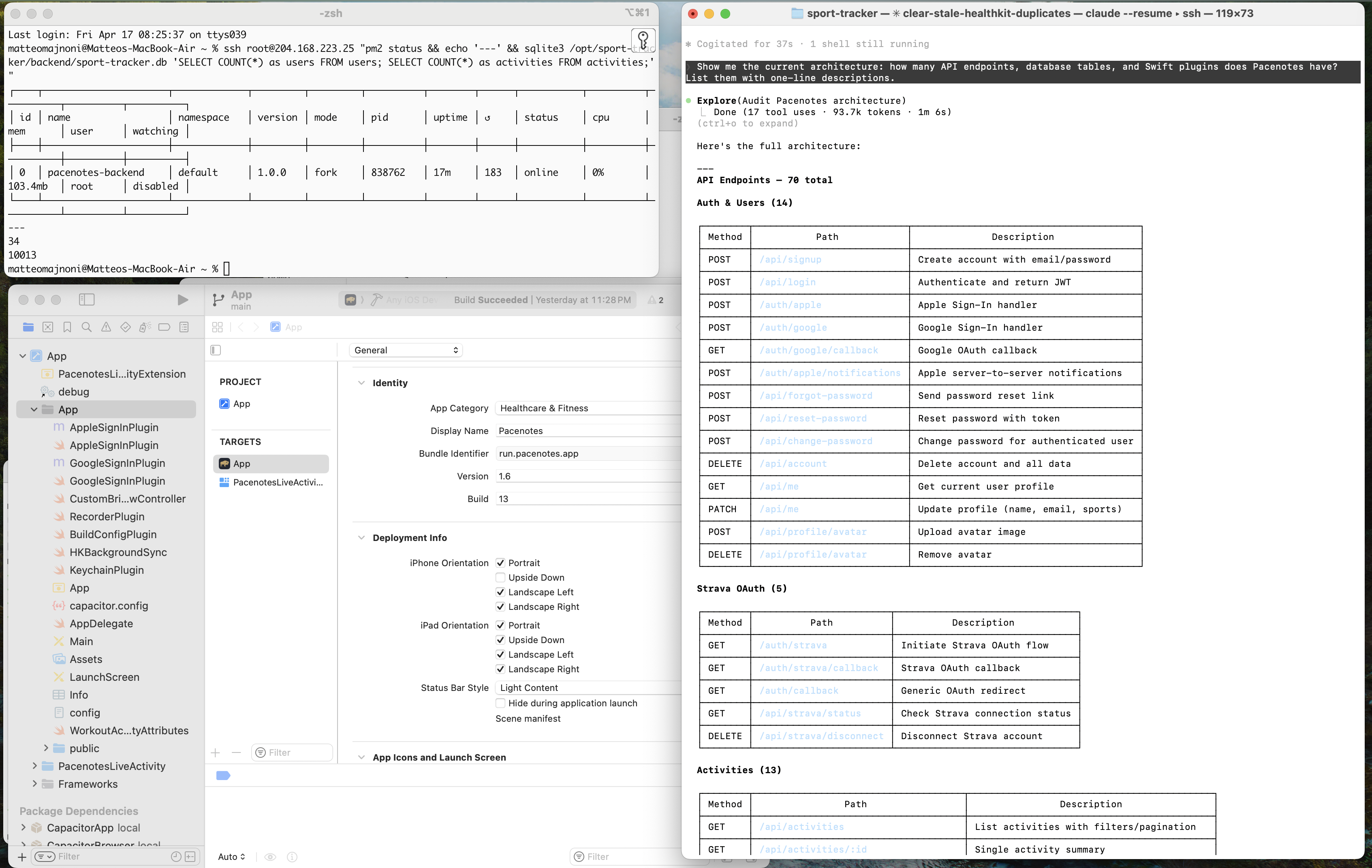
Claude Code wrote roughly 90% of the code in Pacenotes. Every React component, every API endpoint, every database migration, every Swift plugin. I did not copy-paste from tutorials. I described what I wanted, Claude built it, I tested it, we iterated.
But here is the part that matters: Claude wrote the code. I made every decision.
What framework to use. What features to build. What to skip. When to ship. How the coach should calculate paces. What the onboarding flow should feel like. Whether to fix a bug now or park it. Every architectural choice, every product tradeoff, every "is this good enough?" judgment call.
The dynamic is more like a CTO and a very fast engineering team than a developer using an autocomplete tool. I set direction, Claude executes, I review and redirect. The speed comes from the execution, not from skipping the thinking.
Some specific patterns that worked:
- "Audit first, then fix." Before any change, Claude examines the current code and reports what it finds. I review the findings, approve a plan, then Claude implements. This prevents the "fix one thing, break three" cascade.
- Every prompt ends with a validation step. A runnable command that tests the specific thing we changed. No "looks good to me." Proof.
- Additive fixes only. Never refactor working code while fixing a bug. One change, one deploy, one test. If it works, move on.
The full bill
Here is what Pacenotes costs to run, every month:
| Item | Cost |
|---|---|
| Hetzner server (Helsinki) | €4.79 |
| Domain (pacenotes.run, Porkbun) | ~€1.85 (amortised) |
| Apple Developer Program | ~€8.25 (amortised from $99/year) |
| HTTPS (Let's Encrypt) | Free |
| Strava API | Free |
| GitHub (private repo) | Free |
| Backblaze B2 (nightly backups) | Free (under free tier) |
| GoatCounter (blog analytics) | Free |
| Total | ~€15/month |
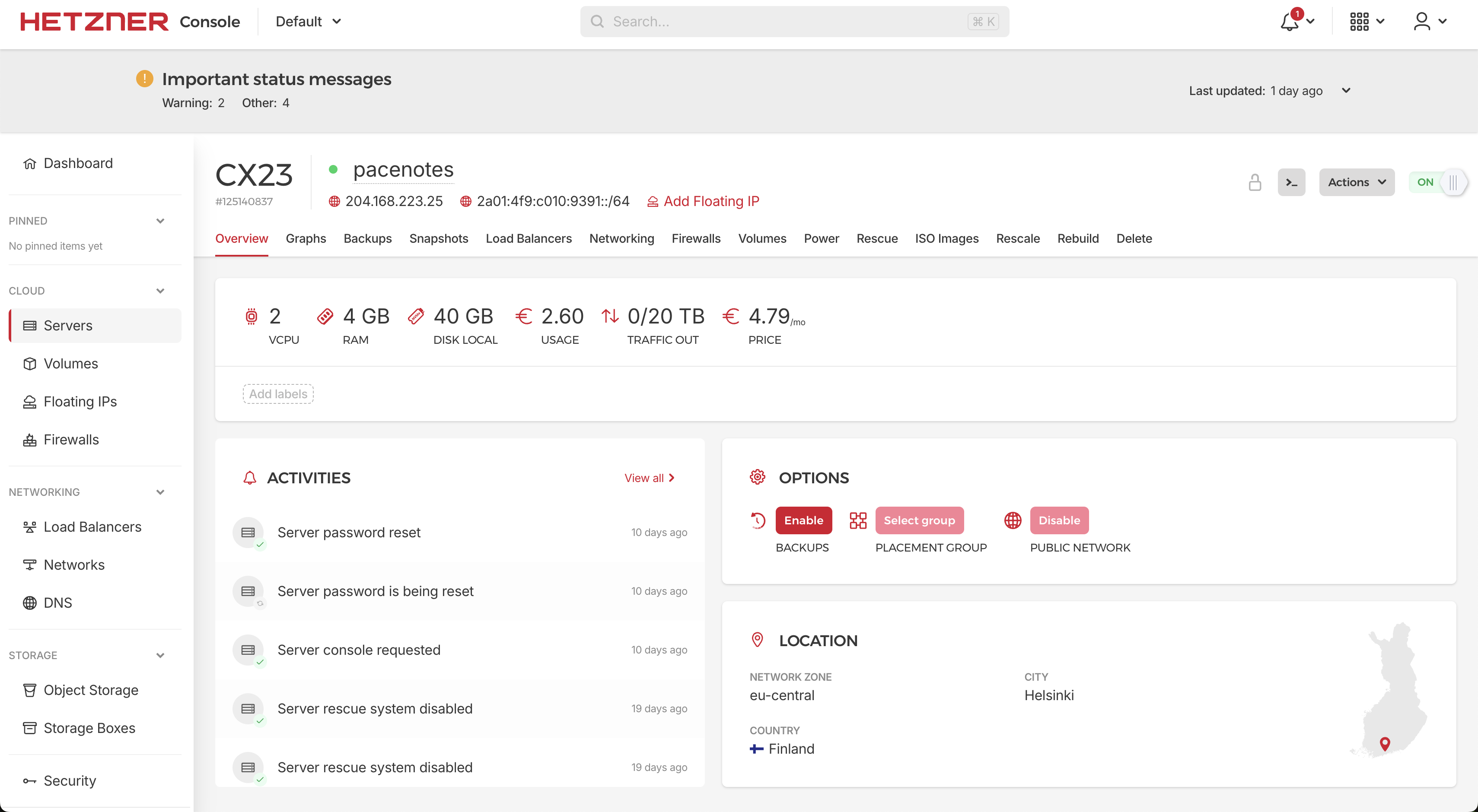
No AI API costs. The training coach is pure maths. No cloud database bills. No CDN charges. No monitoring subscriptions.
€15 a month for a full iOS app with Strava sync, Apple Health integration, GPS recording, push notifications, a training coach, social sign-in, and a blog. I went slightly over my original €2/month target, but the journey was priceless. And now it feels like I have five great apps instead of one.
What I would change
Hindsight is useful. Two things I would do differently:
I would add basic error monitoring earlier. For the first two weeks, "monitoring" meant SSH-ing into the server and reading PM2 logs. It worked, but I missed things. A simple health endpoint and a daily error digest would have caught issues faster.
I would commit Package.resolved to git from day one. Xcode's Swift Package Manager silently deletes this file, and without it, clean checkouts fail with mysterious "Missing package product" errors. Cost me 90 minutes of debugging before I understood why.
Everything else? I would pick the same stack again. Simple tools, minimal dependencies, flat costs, full control. The best architecture for a solo builder is the one with the fewest moving parts.
What comes next
Part 3 is the one I have been waiting to write. The bugs. Not the small ones. The ones that cost hours, lost data, and taught me principles I will carry into everything I build next.
If you missed Part 1: Why I Built My Own Fitness App
🐃
Pacenotes is free and available on the App Store. Follow the journey on LinkedIn.