From localhost to the App Store
Part 4 of "Zero to the App Store in 7 Days"
Building the app took one evening for the local version, a couple of days figuring out servers (having no idea what I was doing), and one day for the iOS build. Getting it through Apple's front door took almost as long to figure out. Not because the review was slow (Apple approved it in under 24 hours), but because everything around the review is a minefield of undocumented requirements, silent failures, and processes that punish you for not knowing the rules in advance.
This is the article I wish someone had written before I started.
One day, one submission
Here is the part that sounds made up but is not.
The decision to build a native iOS app happened on a ski holiday. I had been running the web version for a few days and realised a desktop-only fitness app was pointless. Nobody sits at a desk to check their training plan.
So I built the iOS version in a single day. Not a full day of coding: I was skiing most of the morning, and I was solo-parenting my 18-month-old daughter because my wife was stuck at work and could not join us on holiday. The actual build happened in fragmented bursts between nap time, après-ski, and bedtime.
I submitted to the App Store around midnight that same night.
The app itself was not the hard part. The App Store was.
The $99 starting line
Before you can submit anything to Apple, you need an Apple Developer account. $99 per year. Non-negotiable. No free tier, no trial.
What they do not tell you: it takes 24-48 hours to activate. You pay, you wait, you stare at a screen that says "Enrollment Pending." If you are trying to ship fast, those 48 hours feel like a week.
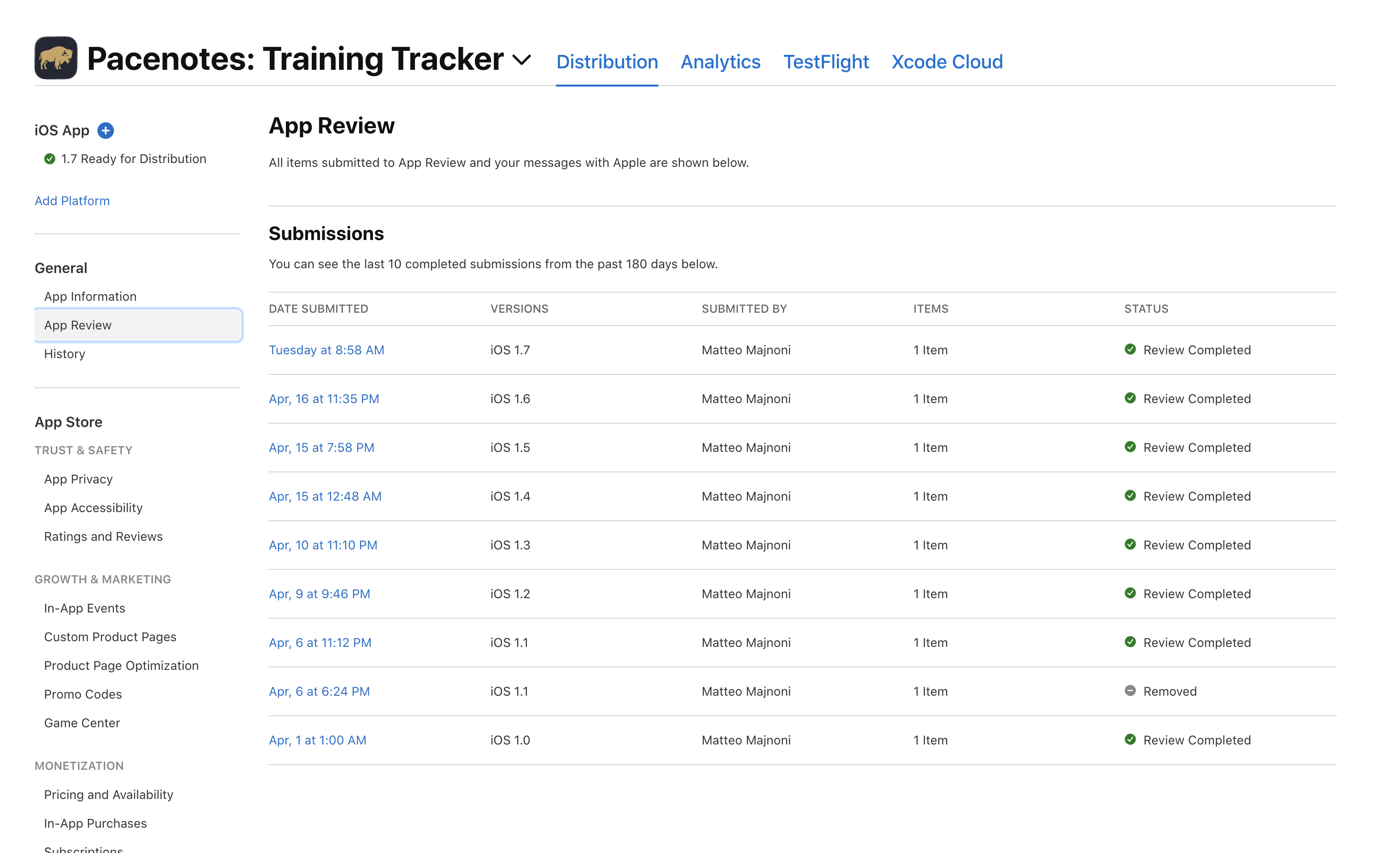
I enrolled on March 29. Access came through on March 31. The same day I submitted v1.0.
The six blockers
Apple does not just review your code. They review everything around it. Each of these required changes before my app could be submitted:
1. Encryption compliance
Apple asks about encryption usage on every submission. Pacenotes uses HTTPS (TLS) for all API calls, which counts as encryption. The correct answer: "Yes, but only standard encryption exempt from export regulations." No additional documentation required for most countries. But it still needs to be answered every single time you submit.
2. Account deletion
Since 2022, Apple requires that any app with account creation must also offer account deletion. Not "email us to delete your account." A real, in-app delete button.
I built a 3-step confirmation flow: tap Delete → warning screen → type "DELETE" to confirm → red button. The backend deletes from all 8 database tables in a single transaction and deauthorises the Strava connection with a 5-second timeout. Tested with throwaway accounts.
3. Privacy policy
Apple requires a publicly accessible privacy policy URL. Not a PDF, not an in-app page. A real URL that anyone can visit. I created pacenotes.run/privacy.html, a static HTML page served by Nginx. It needed its own explicit Nginx location block because the SPA catch-all intercepted everything.
4. Terms of Service
A link to Terms of Service in the app footer. Another static HTML page, another Nginx location block, another thing that does not exist until Apple tells you it needs to.
5. Content rights
App Store Connect asks: "Does your app contain, display, or access third-party content?" If you pull data from Strava, the answer is yes. You need to confirm you have the rights. Strava's developer agreement covers this, but you need to know to check the right box.
6. iPad screenshots
Even if your app is iPhone-only, App Store Connect requires screenshots for multiple device sizes. I did not have an iPad. The fix: Xcode's simulator can render any device. Take screenshots in the simulator, resize with macOS Preview. Tedious but free.
None of these are technically difficult. They are all administratively tedious, and failure on any one of them blocks your submission entirely.
Build 4: stuck forever
After addressing all six blockers, I uploaded my build. App Store Connect showed "Processing..." for 20 minutes. Normal.
Then it kept showing "Processing..." for an hour. Then two hours. Then overnight.
The build was stuck permanently.
The cause: I had uploaded version 1.0, which was the same version number as a build Apple had already approved. App Store Connect does not reject the upload. It does not show an error. It just processes forever. No timeout, no failure message, no way to cancel.
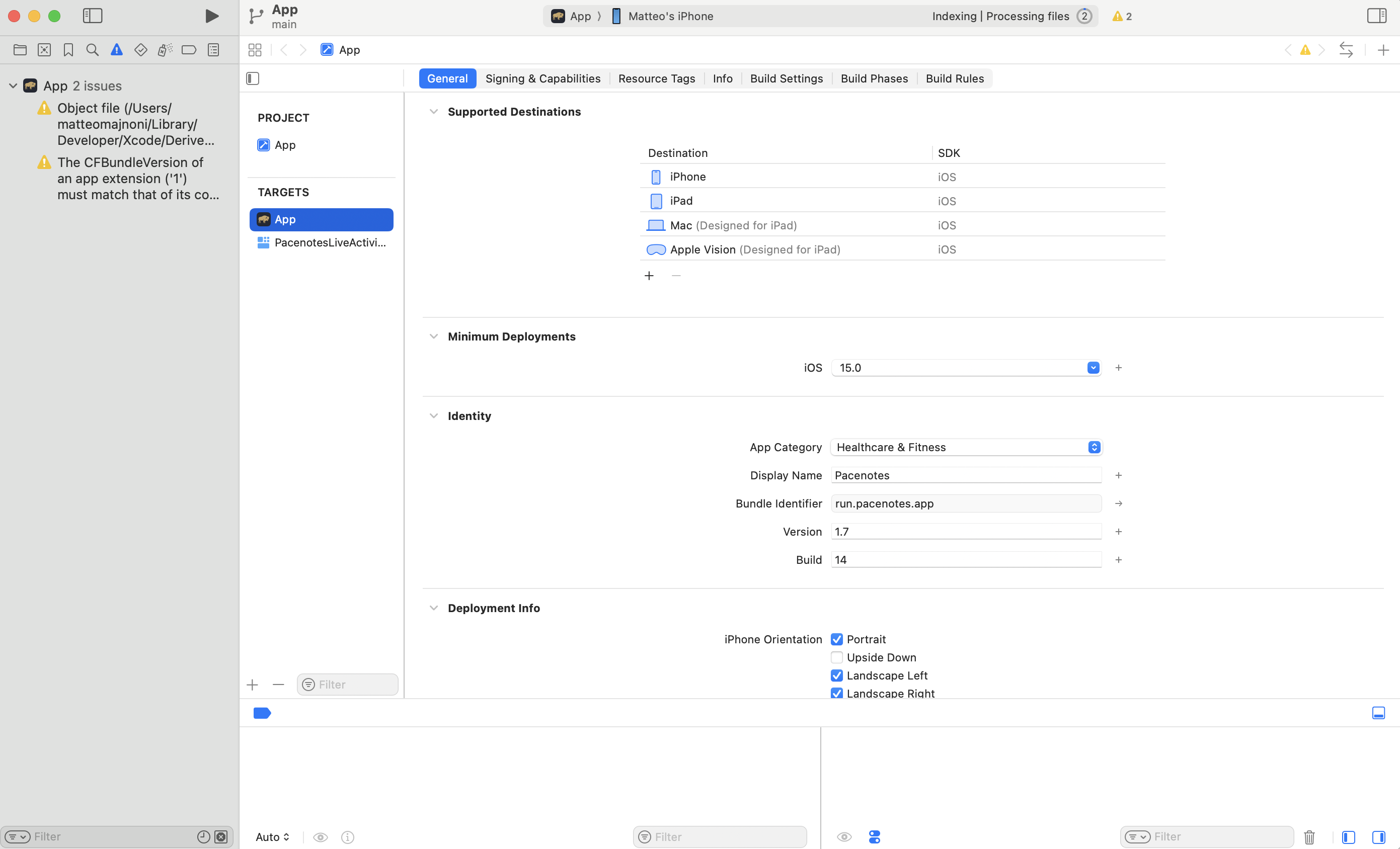
The fix: bump the version number in project.pbxproj (the Xcode project file, not Capacitor's config) and upload again. Build 5, version 1.1, processed in 15 minutes.
The lesson: never upload the same version number twice. And MARKETING_VERSION lives in frontend/ios/App/App.xcodeproj/project.pbxproj, not where you expect it. cap sync does not overwrite it; manual edits persist.
The push notification trap
This one is invisible until it bites you.
Pacenotes uses Apple Push Notification service (APNs) to send training reminders and sync alerts. During development, everything worked perfectly. On TestFlight, everything worked perfectly.
On the App Store, push notifications silently died.
The cause: APNs has two separate environments.
- Sandbox: used by Xcode debug builds and TestFlight
- Production: used by App Store downloads
The server decides which environment to send to. My server was set to sandbox. App Store users register production tokens. A sandbox server sending to a production token does not error. It returns "BadDeviceToken" and silently deletes the token. The user never gets a notification, the server thinks everything is fine, and the token is gone forever.
The fix was a one-line environment variable change on the server. No new build needed. But finding the problem took hours because there was no error from the user's perspective, just... silence.
We eventually built per-token routing: each device token is stored with its environment (sandbox or production), and the server routes each push to the correct APNs gateway. No more global toggle.
The lesson: APNs sandbox vs production is the single most common trap for new iOS developers, and Apple does nothing to surface it. Test with a real App Store install before assuming push works.
The reviewer account
Apple's review team needs to test your app. If it requires login, you must provide working credentials.
My first instinct was to create a seeded reviewer account with fake data. I built a script: seed-reviewer.js, 29 activities, the email reviewer@pacenotes.run. Then I realised: a reviewer seeing 29 activities in a fitness tracker is going to think "is this all it does?"
I gave them my personal account instead. 1,400+ activities, a full training plan, territory maps across 17 countries. The app looked alive because it was alive.
The lesson: reviewers are humans making a judgment call. Show them the best version of your product, not the minimum viable one.
The review note
Pacenotes is a Capacitor app: a web application wrapped in a native iOS shell. Apple is historically cautious about web-wrapper apps because many of them are low-quality ports.
I wrote a review note explaining the architecture: why Capacitor, what native features are used (GPS recording, HealthKit background delivery, push notifications, Sign in with Apple, Keychain storage), and why the app could not be a website. The note listed every custom Swift plugin by name.
Apple approved it in under 24 hours. I do not know if the note made a difference. But I do know that transparency with reviewers is never the wrong call.
The timeline
Here is what the actual process looked like:
- March 29: Apple Developer enrollment submitted ($99)
- March 31: Enrollment activated. v1.0 submitted to App Store Connect.
- April 1: Waiting for Review
- April 2, 6:07 AM: In Review
- April 2, 7:45 AM: Approved. Pending Developer Release.
Less than 2 hours from "In Review" to "Approved." I got lucky with timing; Apple's review queue varies and can take several days. But the blocker was never Apple's review speed. It was everything I had to figure out before submitting.
- April 6: v1.1 submitted with push notifications, dark mode screenshots, account deletion
- April 7: v1.1 live on the App Store. First external user fully onboarded with zero errors.
- April 10: v1.2 approved. GPS recording, forgot password, live map tracking.
- April 16: v1.6 submitted. Continuous training plans, dedup engine, source-agnostic architecture.
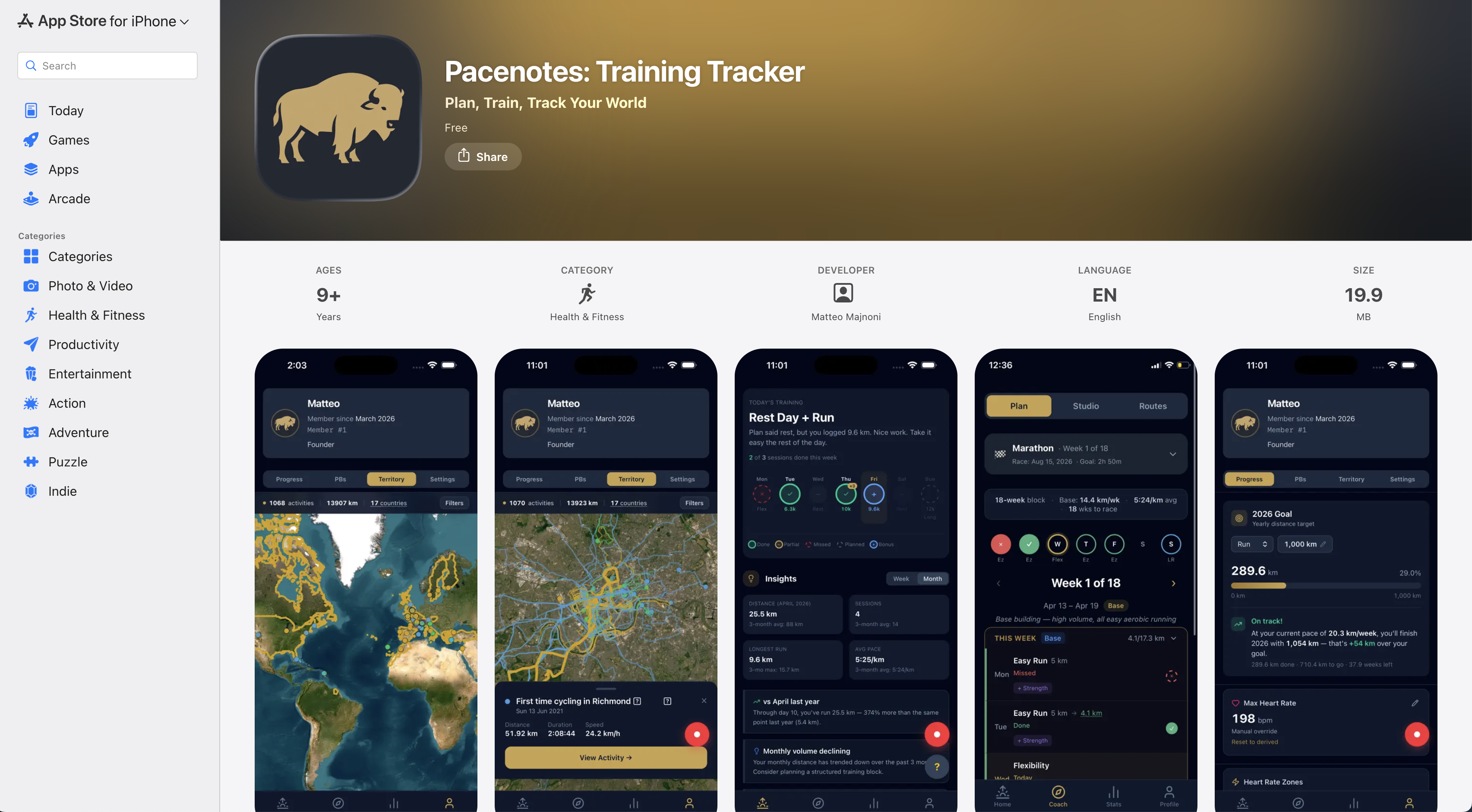
Today the app is at v1.7, Build 14. 17,000+ activities synced across users. 89% push notification opt-in. 8 active training plans. 10+ sport types tracked. Three sign-in methods (Apple, Google, email). And a small detail that still makes me smile: when you search "pacenotes" on the App Store, we went from 6th result to 1st.
Bonus: Android in 48 hours
After iOS was stable, I added Android support. Same Capacitor codebase, different platform quirks:
- Google Sign-In: no native plugin needed on Android. Browser-based OAuth with deep link callback.
- Deep links: Android's Activity lifecycle destroys your component during the OAuth redirect. Token handling had to move to the app root.
- Custom URL parsing:
new URL('pacenotes://...')silently fails in Android WebView. String matching instead. - FCM instead of APNs: Firebase Cloud Messaging for push notifications. Backend routes each token to the correct service based on platform.
- Play Store requires 14 days of closed testing with 12+ testers before you can go to production. No shortcut.
The Android version is currently in closed beta. Same app, same server, same €15/month.
What I would tell someone starting today
If you are about to submit your first iOS app:
- Budget 48 hours for enrollment. Start this before your app is ready.
- Create privacy policy and terms of service pages early. Static HTML, served at public URLs. You will need them.
- Build account deletion from the start. Not after Apple asks for it.
- Never reuse a version number. Bump it before every upload. Keep a note of which numbers have been used.
- Test push notifications on a real App Store install, not just TestFlight. The APNs environments are different and the failure is silent.
- Give reviewers your best data, not a seed script with 29 activities.
- Write a review note if your app uses unusual architecture. Be transparent about what you built and why.
None of this is hard. All of it is invisible until you hit it.
What comes next
Part 5 is the last article in the series. Where Pacenotes is today, what is coming next, and why building in public has been worth every late night.
If you missed the earlier parts:
- Part 1: Why I Built My Own Fitness App
- Part 2: Picking a Stack When You Don't Know What a Stack Is
- Part 3: Six Bugs, Six Lessons, Zero Error Messages
🐃
Pacenotes is free and available on the App Store. Follow the journey on LinkedIn.